

Best CRM for tour operators in India: an honest guide to choosing one
By AnyInfraTech Team · · Updated 18 Nov 2026
Search for the best CRM for tour operators in India and you get long lists that rank twenty tools on features most travel teams never open. We set up and build CRMs for tour operators, so we have a bias, and it's fair to say that up front. Still, the useful answer is simple: the best CRM is the one your team is still using in the middle of the season, when enquiries arrive faster than anyone can reply.
This guide covers what a tour operator CRM has to do, the three kinds of option you can pick from, when each one fits, and a checklist to take into any demo. Most of it applies just as well if you are looking for a CRM for a travel agency in India rather than a tour operator.
Why travel needs more than a contact list
A tour operator's sale is rarely one call and one invoice. A family enquires on WhatsApp and asks for a Char Dham quote. They want a different hotel in Guptkashi, go quiet for two weeks, come back, pay an advance, pay the balance before departure, and need hotel vouchers and the driver's number the day before they leave. Four or five people in your office might touch that one booking.
A general sales CRM is built around lead, deal, won or lost. Travel needs that, plus itineraries, part-payments, supplier bookings and travel dates. Whatever the CRM can't hold, staff keep in WhatsApp chats and Excel, and the CRM turns into a second job nobody has time for.
What a tour operator CRM must do
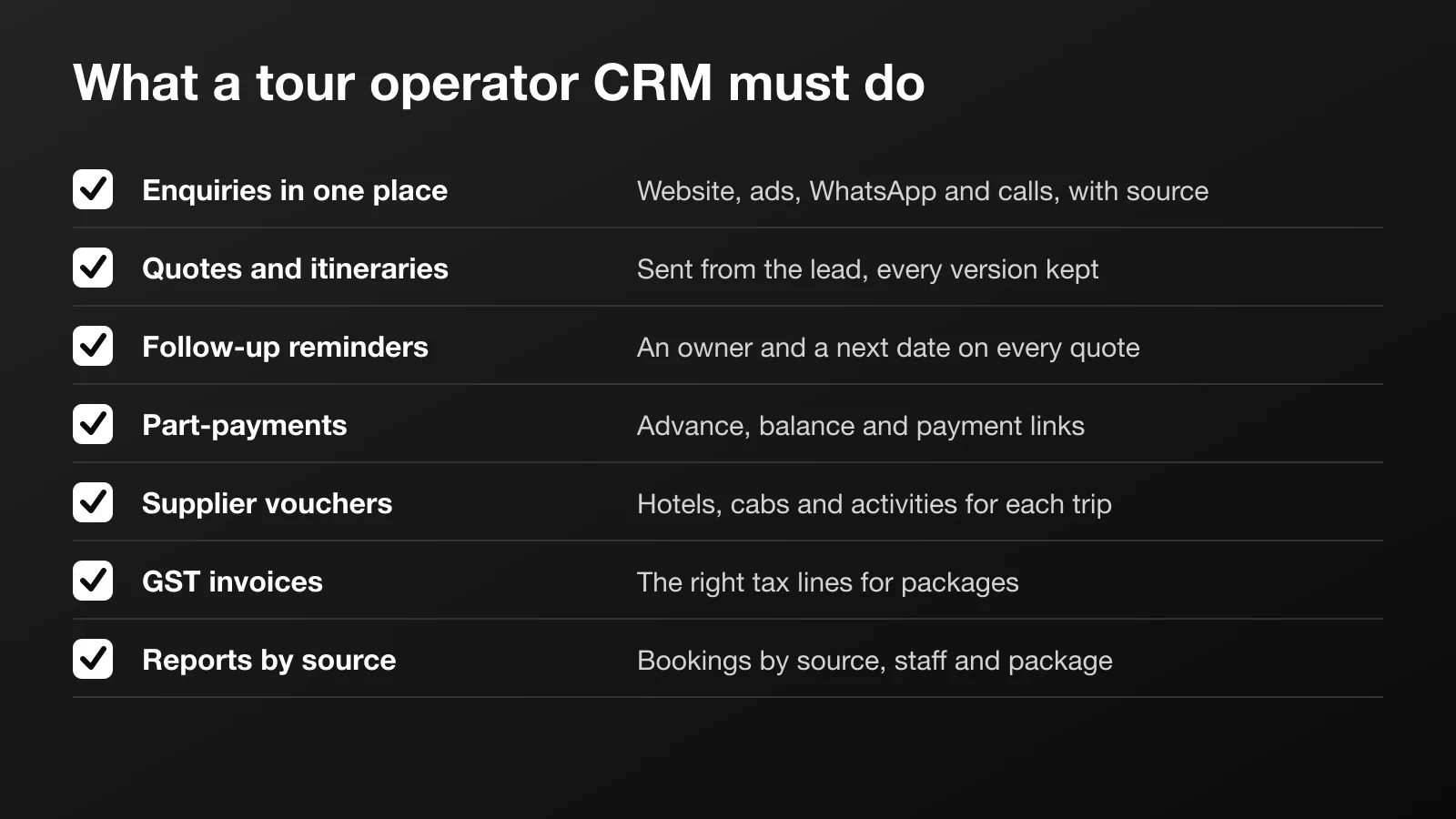
This is the list we work from when we set one up. If a tool can't do something on it, decide now where that work will happen instead.
- All enquiries in one place, with their source. Website forms, Google Ads, Meta lead ads, WhatsApp, calls and walk-ins, each tagged with where it came from. If WhatsApp enquiries have to be copied in by hand, they won't be.
- Quotes and itineraries from the lead. A day-wise plan, hotels, inclusions and exclusions, sent as a PDF or link. Revisions are kept, so you know which version the customer is reading.
- Follow-up reminders. Every open quote has a next follow-up date and an owner. Staff see who to call today. You see what is overdue.
- Payments and part-payments. Advance, balance and due dates, ideally with payment links, so you can see who has paid what without asking accounts.
- Supplier and hotel vouchers. Hotel, cab and activity bookings recorded against each trip, with vouchers for the customer made from that data.
- GST invoices. The right tax lines for packages and services, in the format your accountant expects.
- Reports by source. Enquiries, quotes and bookings by source, by staff member and by package, so you know which ads and pages bring paying customers and which only bring chats.
Points 1, 3 and 7 are where most agencies feel the difference first. Our post on stopping lost WhatsApp enquiries walks through the daily workflow behind them.
The three kinds of option
Most travel CRM software in India falls into one of three groups. None of them is right for everyone, and the best CRM for tour operators in India for a five-person team is often the wrong one for a team of thirty.
Generic CRMs
General sales CRMs used by all kinds of businesses. They are mature, well documented and quick to start, and they are usually billed per user per month.
Fits when: your team is small, your trips are fairly standard, and what you mostly need is lead tracking and reminders. You can add custom fields for travel dates, destination and group size.
Watch for: itineraries, vouchers and supplier bookings usually sit outside them. WhatsApp support varies a lot between tools and plans, so test it with a real chat rather than a slide. And per-user bills grow with every telecaller you add for the season.
Travel-specific software
Software made for travel businesses: itinerary builders, package costing, supplier rates, vouchers, and sometimes a B2B portal for agents. Some of it is built for the Indian market and handles GST and part-payments out of the box.
Fits when: you sell a lot of packages, build many custom itineraries, and want costing and vouchers in the same system as your leads.
Watch for: you work their way, not yours. Check whether the enquiry side is as strong as the itinerary side, how leads from your ads and WhatsApp get in, and whether you can export all your data if you leave.
Custom built
A CRM made around your own stages, quote format and WhatsApp flow. It takes longer to start and needs someone to maintain it, but it looks like your process because it was built from it.
Fits when: you have outgrown a ready tool, your team lives on WhatsApp, you need something unusual (an agent portal, your own booking site, hotel or helicopter inventory), or per-user bills have grown large. Our guide on custom CRM vs Zoho and HubSpot goes through the signs.
Watch for: timelines in weeks, not days. Make sure the code and data are yours, and agree a support plan before go-live.
There is a middle path too. Some operators keep a ready CRM and connect it to their website, ads and WhatsApp with automation workflows, so leads arrive on their own and reminders fire on time. That is a large part of our CRM and automation work.
A checklist to take into every demo
Ask the vendor to show you each of these with your own data, not their sample account.
| What you need | Ask them to show you | Red flag |
|---|---|---|
| Enquiries in one place | A WhatsApp message and a Meta lead arriving by themselves | "You can import a CSV" |
| Source tracking | Last month's bookings by source | Source is a free-text field |
| Quotes and itineraries | One quote revised twice, both versions saved | Itineraries made in Word outside the CRM |
| Follow-up reminders | Today's follow-up list for one salesperson | Reminders by email only |
| Part-payments | An advance and a balance with due dates and a payment link | Payment status ticked by hand |
| Supplier vouchers | A hotel voucher made from the booking | Vouchers typed separately |
| GST invoices | An invoice for a package with the right tax lines | Invoices made in another tool |
| Your data | A full export of leads and bookings | No export, or export only on request |
How to run a fair trial
- Use real enquiries from last week, not demo data.
- Let the person who handles most WhatsApp enquiries test it, not only the owner.
- Time how long it takes to go from a new enquiry to a quote sent.
- Ask what happens when you add staff for two or three peak months.
- Ask who you call when something breaks on a Sunday in May.
What decides the cost
We won't quote figures here, because they change and depend on your setup. Generic tools usually charge per user per month, with add-ons for WhatsApp, automation or storage. Travel software often charges by plan or per user, sometimes with a setup fee. A custom build is a one-time build, then hosting and a monthly support plan. In every case, WhatsApp Business API messages carry Meta's own charges, separate from the CRM. Ask each vendor for a written quote with users, setup, add-ons, WhatsApp, training and support as separate lines, and compare the total over two or three years, not one month.
So which is the best CRM for tour operators in India?
There isn't a single winner. A small team selling simple trips should start with a generic CRM and good habits. A busy package seller building lots of itineraries will often be happier with travel-specific software. A team that runs on WhatsApp, sells its own booking products, or keeps fighting its tools is the case for custom.
We set up a travel CRM for tour operators around your stages, quote format and follow-up rules, with WhatsApp enquiries through auton8n and part-payments through Razorpay. If you can't tell which of the three fits you, send us your stages and how many people handle enquiries, and we will tell you plainly which way we would go.

 WhatsApp